
How to Choose an Enterprise Imaging Cloud PACS for Hospital: Buyer's Guide
Replacing a hospital PACS is a multi-year commitment, not a software purchase. Imaging volumes keep climbing, radiology teams work across more locations, and older systems struggle to move studies between sites without friction. Choosing the wrong cloud platform means another migration in three years.
This guide walks through what enterprise imaging teams should evaluate before signing: retrieval and DICOM gateways, storage and disaster recovery, zero-footprint viewing, structured reporting, compliance, pricing models, and vendor track record. You will also see how Medicai fits these criteria, so you can decide whether it belongs on your shortlist.
What Is Medicai? The Cloud PACS Built for Hospitals and Enterprise Imaging Teams
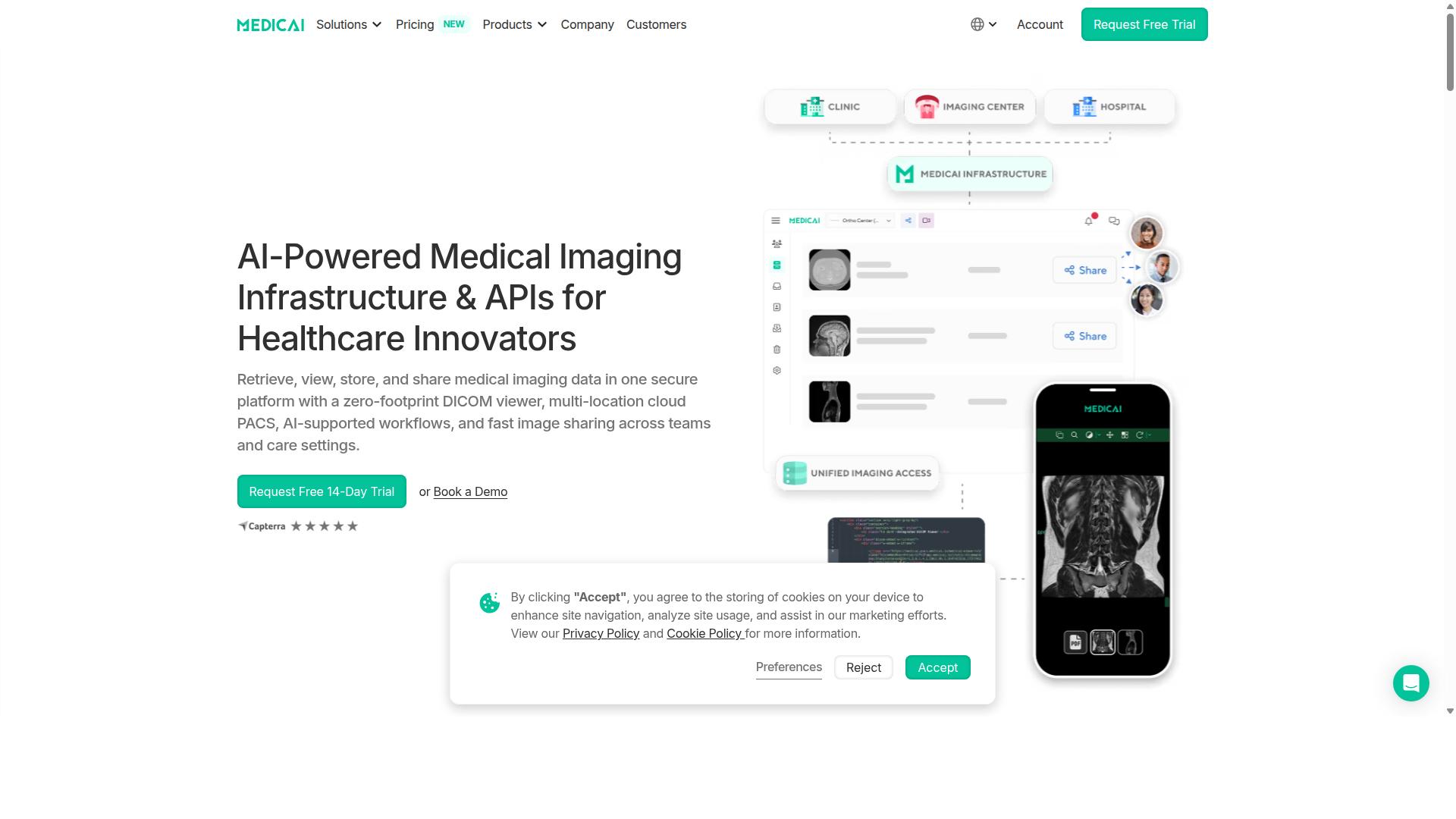
Medicai is a cloud-based medical imaging platform that enables healthcare providers to retrieve, view, store, and share medical imaging data in one secure platform with a zero-footprint DICOM viewer. For hospitals evaluating an Enterprise Imaging Cloud PACS, that combination matters: no local software installs, no workstation-bound viewing, and one place where imaging data lives.
The platform functions as a multi-location cloud PACS with AI-supported workflows and fast image sharing across teams and care settings. Instead of stitching together a legacy Picture Archiving and Communication System, a separate viewer, and manual transfer tools, imaging teams work from a single environment built for Enterprise Imaging.
Medicai delivers its technology as Imaging Infrastructure as a Service (IIaaS). The company is a VC-backed healthcare startup focused on modernizing medical imaging workflows and enabling interoperability, which is the same problem most hospital buyers are trying to solve when they shortlist cloud PACS vendors.
Key capabilities that matter during vendor evaluation include:
- DICOM viewing through a zero-footprint viewer that runs in the browser
- Cloud storage for medical imaging data across locations
- Image sharing across teams and care settings
- Multi-location cloud PACS architecture for distributed organizations
- AI-supported workflows layered onto imaging operations
Because Medicai operates as a cloud platform, it fits the SaaS and subscription pricing models many hospitals now weigh against on-premise PACS and traditional total cost of ownership. That context matters for the rest of this buyer's guide, since Medicai is the type of vendor this evaluation process is designed to assess.
Who Medicai Serves: Hospitals, Imaging Centers, and Specialty Care Providers
Medicai's platform is designed for a diverse range of healthcare providers, including hospitals, imaging centers, and specialty care providers such as orthopedics, neurology, oncology, radiology, cardiology, ophthalmology, ob-gyn, pulmonology, dentistry, and gastroenterology. Each of these groups approaches cloud PACS with different priorities, and that shapes how a buyer should read any vendor's feature list.
Hospitals typically need enterprise-wide image management: many departments, many locations, and many referring physicians who all need timely access to Diagnostic Imaging. A multi-location cloud PACS reduces the friction of moving studies between sites and gives imaging leadership one system of record rather than a patchwork of local archives.
Imaging centers tend to care most about workflow efficiency. High study volumes, tight reporting turnaround, and referrer satisfaction all depend on fast retrieval, viewing, and sharing. Cloud delivery helps here because there is no server room to maintain and no thick client to update across every reading station.
Specialty care providers bring focused requirements. Orthopedics, neurology, oncology, cardiology, ophthalmology, ob-gyn, pulmonology, dentistry, and gastroenterology teams often need viewing and reporting that matches their clinical context, plus reliable exchange with the hospitals and imaging centers that produce the studies they review.
Beyond those core groups, Medicai also serves virtual care providers, telemedicine platforms, teleradiology services, personal injury lawyers, tumor boards, clinical trials, and medical education organizations. Patients are served too, through a Patient Portal that gives individuals access to their own imaging.
For a hospital buyer, this breadth is a signal worth noting. A vendor that supports teleradiology reads, tumor board review, clinical trial imaging, and patient access is likely built around Interoperability rather than a single-department use case. That aligns with the DICOM, HL7, FHIR, and IHE discussions that follow in this guide, and it is a reasonable question to raise in any Enterprise Imaging Cloud PACS demo.
Why Medicai Is a Trustworthy Choice for Enterprise Imaging Cloud PACS
Trust in a cloud PACS is paramount for healthcare organizations, and Medicai demonstrates its reliability through robust compliance, security measures, and clinical credibility. Choosing a Picture Archiving and Communication System is not a short-term software decision. It shapes how a hospital stores, shares, and protects patient imaging data for years.
Medicai is a SaaS platform for medical imaging that serves clinics, hospitals, and radiology teams. It handles the full imaging workflow, from DICOM study storage to visualization and API-driven data exchange. The platform currently supports 70 clinics and hospitals and more than 10,000 active doctors.
Scale matters when evaluating an Enterprise Imaging Cloud PACS. A vendor must prove it can absorb real clinical volume without performance loss. Medicai processes 1M+ studies per year, holds 1.7M+ studies in storage, and has handled 2M+ imaging studies uploaded overall.
Clinical credibility also comes from visibility. Medicai has been featured in press for enabling global multidisciplinary tumor boards and for helping Ukrainian refugee patients access cancer treatments. That track record speaks to whether a platform can function under demanding, real-world conditions.
A Microsoft Azure partnership underpins the infrastructure side of the offering. For hospital buyers weighing scalability, data residency, and business continuity, that relationship signals enterprise-grade cloud foundations rather than ad hoc hosting.
Compliance, Security, and Clinical Credibility
Medicai is HIPAA and GDPR compliant and holds FDA/CEE clearance for its viewer, ensuring that healthcare organizations meet stringent regulatory requirements. For a hospital buyer, these are not marketing labels. They are the baseline conditions for deploying any Cloud PACS that touches protected health information.
HIPAA Compliance governs how patient data is handled in the United States, while GDPR sets the standard for personal data protection in Europe. A vendor that satisfies both frameworks gives multi-region healthcare organizations a single platform instead of separate regional tools. Medicai also follows OWASP security guidelines, a recognized benchmark for application security.
Security in a cloud environment depends on layered controls. Buyers should expect encryption at rest and in transit, role-based access control, and audit trails that record who accessed which study and when. These controls support both Data Security requirements and the accountability hospitals need during internal reviews or external audits.
FDA/CEE clearance for the viewer matters because it confirms the diagnostic tool has been reviewed for clinical use. Radiology teams depend on accurate rendering of Diagnostic Imaging, so clearance is a meaningful signal of fitness for purpose, not a formality.
The platform's operational numbers reinforce that credibility. Medicai supports 300k+ visualizations of DICOM studies in the last year and 50M+ yearly API transactions, which indicates heavy, sustained use across interoperability workflows. Hospitals evaluating Interoperability, including HL7 and FHIR-based exchange, can point to that activity as evidence the platform operates at production scale.
For a buyer's guide, the practical takeaway is simple. Compliance, security, and clinical clearance should be verified before contract signing. Medicai presents all three clearly, which is why it stands as a trustworthy choice among Enterprise Imaging Cloud PACS options.
Key Features Hospitals Should Evaluate in a Cloud PACS
When evaluating a cloud PACS, hospitals should consider critical features such as data ingestion, storage, management, and advanced visualization capabilities. These four pillars determine whether an Enterprise Imaging platform will actually work in a busy Radiology department or simply add another layer of complexity.
Three qualities tie those pillars together. Interoperability decides how well the system talks to CT, MRI, ultrasound, and mammography modalities, plus the EHR and other clinical systems. Without it, data migration becomes a manual nightmare and clinical workflows stall.
Scalability matters just as much. A hospital's imaging volumes grow, new modalities arrive, and multi-site networks expand. Cloud storage should absorb that growth without forklift upgrades or renegotiated on-premise PACS contracts.
Security rounds out the list. HIPAA Compliance, GDPR, Encryption, Access Control, and a complete Audit Trail are non-negotiable for Diagnostic Imaging data. Uptime SLA commitments and Disaster Recovery planning protect Business Continuity when systems fail.
Medicai organizes these capabilities into three functional groups: Connect and Retrieve, Store and Manage, and Access, Visualize, and Collaborate. The sections below break down what each group includes and why it matters during vendor selection.
Connect and Retrieve: DICOM Gateway and Medical Imaging Uploader
Medicai's Connect and Retrieve module includes a DICOM Gateway and Medical Imaging Uploader, enabling seamless integration with existing systems and efficient data ingestion. This module is where Interoperability is won or lost, because a Cloud PACS that cannot ingest studies reliably is useless regardless of how good its viewer looks.
The DICOM Gateway handles connectivity between imaging modalities and the cloud platform. It is the bridge that lets CT, MRI, and other equipment send studies into cloud storage without disrupting existing workflows or requiring radiologists to change how they operate.
The Medical Imaging Uploader covers the other direction: getting outside imaging, CDs from referring hospitals, and prior studies into the system. For hospitals that receive patients with imaging performed elsewhere, this matters enormously for continuity of care.
When assessing any Enterprise Imaging Cloud PACS, ask vendors about standards support. Support for HL7 and FHIR matters for EHR integration, while DICOM and IHE profiles govern how imaging data moves between systems. These standards determine whether a platform fits into your existing IT ecosystem or forces expensive custom work.
Medicai's Connect and Retrieve tools also feed the wider Medical Image Exchange and Patient Case Management capabilities, so incoming studies become part of a searchable, shareable record rather than isolated files on a local server.
Store and Manage: Cloud PACS, VNA, and Disaster Recovery
Medicai's Store and Manage capabilities encompass a Cloud PACS, Vendor Neutral Archive (VNA), and robust disaster recovery solutions to ensure data integrity and availability. This is the backbone of any Enterprise Imaging strategy, and it deserves close scrutiny during the Hospital Buyer's Guide process.
The Cloud PACS serves as primary storage and the working environment for daily Radiology reads. The Vendor Neutral Archive handles long-term archiving, keeping studies accessible in standard formats even as viewers, modalities, and vendors change over the years.
Medicai's Store and Manage group also includes Medical Image Exchange, Patient Case Management, and Backup and Disaster Recovery. Together these address Business Continuity: if a primary system goes down, imaging operations should continue rather than halt.
Data redundancy and geographic distribution are worth probing in vendor conversations. Cloud Storage should replicate data across locations so a single failure does not threaten years of Diagnostic Imaging records. Ask how the vendor handles Data Migration from an existing On-Premise PACS, including historical studies.
Scalability ties directly into pricing models. A SaaS, Subscription Pricing structure typically scales storage and users more predictably than capital-heavy on-premise hardware refreshes, which affects Total Cost of Ownership (TCO) over a five to ten-year horizon.
Access, Visualize, and Collaborate: Zero-Footprint Viewer and Structured Reporting
Medicai's Access, Visualize, and Collaborate tools include a zero-footprint DICOM viewer and structured reporting, facilitating efficient diagnosis and collaboration among care teams. This is the layer radiologists and referring physicians actually touch, so usability here shapes adoption across the hospital.
A zero-footprint viewer runs in a browser without local installation. That means a radiologist can review studies from a workstation, a home office, or a conference room without managing client software, which supports Teleradiology and on-call coverage.
Medicai's group also includes Structured Reporting for Radiology, a Doctor Imaging Portal, a Patient Imaging Portal, a Mobile Imaging App, and the Medicai Imaging API. These tools extend imaging access beyond the reading room to referring clinicians, patients, and third-party systems.
AI Integration is increasingly part of these conversations. Medicai offers a Radiology AI Co-Pilot and AI-Powered Diagnostics, capabilities that hospitals should evaluate alongside viewer performance during vendor selection.
Collaboration features matter for complex cases. Medicai supports Tumor Boards, where multidisciplinary teams review imaging together, and its Medical Image Sharing Platform helps care teams exchange studies securely. Latency and Bandwidth also deserve attention, since viewer performance over hospital networks directly affects reading speed and clinician satisfaction.
Pricing and Plans: What Enterprise Buyers Can Expect
Medicai offers transparent, subscription-based pricing with plans designed to scale with enterprise needs, starting at $249 per month for 500 GB of cloud storage and unlimited user accounts. For hospital finance teams accustomed to opaque on-premise PACS quotes, this clarity matters. There are no hidden license fees, no per-seat charges, and no surprise maintenance invoices.
The structure is simple: you pay for Cloud Storage capacity and the number of connected locations, not for the number of people who need to view images. That distinction is central to how Medicai approaches Total Cost of Ownership for enterprise imaging.
| Plan | Monthly Billing | Yearly Billing (15% Savings) | Cloud Storage | User Accounts | Connected Locations |
|---|---|---|---|---|---|
| Starter | $249/month | $209/month paid yearly | 500 GB | Unlimited | None |
| Standard | $749/month | $639/month paid yearly | 2 TB | Unlimited | One connected location |
| Enterprise | Custom Pricing | Custom Pricing | Custom Cloud Storage | Unlimited | Multiple connected locations and multiple external locations |
The Starter plan suits single-site imaging operations and pilot deployments. The Standard plan fits hospitals or groups that need one facility connected to the cloud. Enterprise covers multi-site health systems with custom storage needs and multiple connected locations plus multiple external locations.
Several practical details shape the real cost. A DICOM Gateway Setup costs $1,000 one-time per location. A free 14-day trial of Starter plan features is included, and no credit card is required to start it. Per-study pricing is also available for enterprise customers, which can suit organizations with unpredictable volumes. Refunds are not available for partial periods, so buyers should match billing cycles to their planning timeline.
When comparing this to an On-Premise PACS, the math usually favors subscription pricing. On-premise deployments carry server hardware, storage arrays, redundancy systems, IT labor, software licenses, and periodic refresh cycles. Those costs recur long after the initial purchase.
A Cloud PACS converts most of that into a predictable monthly figure. For a hospital buyer, the ROI case rests on avoided capital expenditure, reduced infrastructure staffing, and faster deployment. Choosing yearly billing on Starter saves 15%, bringing the effective rate to $209 per month, and Standard drops to $639 per month.
Enterprise buyers should request custom pricing early, especially when Data Migration from a legacy Picture Archiving and Communication System or Vendor Neutral Archive is involved. Getting storage projections, location counts, and gateway setup costs into one model gives a defensible TCO picture for procurement.
Trust Signals: Track Record, Partners, and Testimonials
Medicai's credibility is reinforced by its impressive operational metrics, strategic partnerships, and positive feedback from healthcare organizations. For hospital decision makers evaluating an Enterprise Imaging Cloud PACS, these signals matter as much as any feature list. A vendor's track record shows whether the platform can handle real clinical volume, not just a demo environment.
Medicai's numbers reflect a platform already operating at scale. The company processes 1M+ studies transacted or processed per year and holds 1.7M+ studies in storage. Those figures suggest the infrastructure can absorb the daily imaging load of a busy radiology department without strain.
Engagement metrics add another layer of confidence. Medicai recorded 300k+ visualizations of DICOM studies in the last year and 50M+ yearly API transactions. High API volume points to deep interoperability with surrounding hospital systems, a core requirement for any Picture Archiving and Communication System that must exchange data through HL7, FHIR, and IHE standards.
Adoption across the healthcare sector is equally telling. 70 clinics and hospitals run on the platform, supported by 10,000+ active doctors and 2M+ imaging studies uploaded to date. These are the kinds of figures a Hospital Buyer's Guide should weigh carefully, because they indicate a vendor with proven clinical deployment experience rather than an early stage product.
Security and regulatory credentials round out the operational picture. Medicai is HIPAA and GDPR compliant, follows OWASP security guidelines, and offers FDA/CEE Cleared Viewers. Together with a Microsoft Azure partnership, these details address the Data Security, Encryption, Access Control, and compliance questions that dominate enterprise procurement reviews.
Partnerships extend the platform's reach into specialized clinical areas. Medicai works with MD.ai, Microsoft Azure, and Amazon AWS, connecting its Enterprise Imaging capabilities to established cloud infrastructure and AI development ecosystems. For hospitals planning AI Integration or Machine Learning initiatives in Diagnostic Imaging, these relationships reduce the risk of building on an isolated system.
Public recognition offers a different kind of proof. Medicai has been featured in press for enabling global multidisciplinary tumor boards and for helping Ukrainian refugee patients access cancer treatments. These stories show the platform functioning in high stakes, cross border clinical scenarios where reliability and Interoperability are non negotiable.
Efficiency gains reported by the platform strengthen the case further. Medicai states that it reduces diagnosis time by 65%, a figure that speaks directly to radiology workflow and patient outcomes. When combined with the volume metrics above, it suggests the speed advantage holds under real production conditions.
For buyers, the practical takeaway is straightforward. Ask any Enterprise Imaging Cloud PACS vendor for the same categories of evidence Medicai publishes:
- Annual study volume and total studies in storage
- Number of clinics, hospitals, and active clinicians on the platform
- API transaction volume as a proxy for interoperability maturity
- Named cloud and AI partners
- Compliance certifications and cleared viewer status
- Published case studies or press coverage of real deployments
A vendor that can answer these questions with concrete numbers, named partners, and documented deployments is far easier to trust during a multi year SaaS Subscription commitment. Medicai's combination of scale, security posture, partnerships, and public track record places it among the vendors a hospital can evaluate with confidence.
Who Should Use Medicai
Medicai is ideally suited for healthcare providers seeking a scalable, secure, and compliant cloud PACS to enhance imaging workflows and collaboration. Its design as a SaaS platform means there is no heavy on-premise infrastructure to maintain, which makes it a practical fit for organizations of very different sizes and specialties.
The platform serves a broad range of healthcare providers, from large hospitals to focused specialty clinics. Each type of user gains something different from the same core strengths: cloud storage, medical imaging tools, and a collaborative environment built around DICOM workflows.
Below is a breakdown of the main audiences Medicai is built for and the outcomes each one can expect.
- Hospitals need an Enterprise Imaging Cloud PACS that can handle high imaging volumes across multiple departments. Medicai supports radiology and other service lines within one platform, which reduces fragmentation and keeps studies accessible to the care teams that need them.
- Imaging centers benefit from a cloud PACS that removes the burden of local server maintenance. Staff can focus on scanning and reporting rather than managing hardware, while images remain available for referring physicians.
- Specialty care providers across orthopedics, neurology, oncology, radiology, cardiology, ophthalmology, ob-gyn, pulmonology, dentistry, and gastroenterology use Medicai to view and share studies relevant to their discipline. A specialty clinic does not need a full hospital-scale system, but it does need reliable access and secure sharing.
- Virtual care providers and telemedicine platforms rely on remote access to imaging. A cloud-based Picture Archiving and Communication System lets distributed clinicians review studies without being tied to a single physical location.
- Teleradiology services need to route and read studies across sites and time zones. Medicai's cloud model supports that kind of distributed reading workflow.
Beyond direct clinical care, Medicai also serves tumor boards, where multidisciplinary teams review cases together, and clinical trials, where consistent imaging access matters for coordination. Medical education organizations can use the platform for teaching and case review.
Two additional audiences round out the picture. Personal injury lawyers may need organized access to medical imaging for case work, and patients themselves are served through the Patient Portal, giving them a way to engage with their own imaging records.
The common thread across all these users is a need for secure, accessible, and collaborative medical imaging without the overhead of traditional on-premise PACS. Whether the setting is a multi-site hospital or a single-specialty clinic, Medicai is positioned to support the workflow.
Final Verdict: Is Medicai the Right Enterprise Imaging Cloud PACS for Your Hospital?
To determine if Medicai is the right fit for your hospital, consider your organization's specific needs, budget, and long-term imaging strategy. No single Enterprise Imaging Cloud PACS suits every facility, and a candid assessment matters more than a polished sales pitch.
Medicai is a SaaS platform delivered online, which means it runs in the cloud rather than on servers you host and maintain. For hospitals weighing a traditional On-Premise PACS against a subscription-based model, that distinction shapes everything from upfront cost to how quickly radiology teams can scale.
This closing section pulls together the strengths, the trade-offs, and the practical next steps so your evaluation committee can reach a confident decision.
Where Medicai stands out. As a cloud-native offering, Medicai aligns with the direction much of enterprise imaging is heading: remote access, predictable subscription pricing, and reduced dependence on physical infrastructure. Hospitals evaluating Total Cost of Ownership often find that a SaaS model shifts spending from capital expense to a recurring operational line, which can simplify budgeting.
Compliance and data security sit at the center of any Clinical Imaging purchase. Medicai operates as a vendor serving healthcare organizations in the United States and Romania, and buyers should confirm how the platform addresses HIPAA Compliance, GDPR, encryption, access control, and audit trail requirements during their due diligence. These are standard questions in any Hospital Buyer's Guide, and a serious vendor expects them.
For interoperability, ask how the platform handles DICOM, HL7, FHIR, and IHE standards, along with any Vendor Neutral Archive (VNA) capabilities. These determine how well a Cloud PACS fits alongside your existing Radiology systems, EHR, and diagnostic imaging workflows rather than replacing them wholesale.
Where to look closely. A cloud-first Picture Archiving and Communication System depends on reliable internet connectivity. Hospitals with older network infrastructure, bandwidth constraints, or sites in low-connectivity regions should map out latency and redundancy plans before committing.
Data Migration is another consideration. Moving years of archived studies from a legacy system takes planning, and the effort involved depends on your current setup. Ask prospective vendors how they approach migration timelines and validation.
Finally, confirm your expectations around Uptime SLA, Disaster Recovery, and Business Continuity. These commitments vary by contract, so review the specific terms offered rather than assuming industry defaults.
Use this checklist as a final filter before you decide:
- Compliance fit: Does the platform meet your HIPAA, GDPR, and regional data residency obligations?
- Interoperability: How well does it work together with your DICOM, HL7, and FHIR-based systems?
- Scalability: Can it grow with additional sites, modalities, and imaging volume?
- Migration path: What does moving existing archives involve, and who manages it?
- Connectivity: Is your network ready for cloud-first image access across every location?
- Pricing model: How does Subscription Pricing compare to your current Total Cost of Ownership?
If Medicai clears these questions for your organization, it is a strong candidate. If connectivity or migration poses a real obstacle, that is a conversation to have directly with the vendor rather than a reason to rule the platform out.
Reaching out. The most reliable way to close your evaluation is to speak with Medicai directly. Request a demo, share your imaging volumes and site structure, and ask pointed questions about compliance, migration, and support.
Medicai USA
7901 4th St N, STE 300
St. Petersburg, FL, 33702
Phone: +1 (832) 220 1035
Medicai Romania
53-55 N Filipescu, 5th Floor
Sector 2, Bucharest, 020961
Phone: +40 316 305 875
Email: sales@medicai.org
The verdict. Medicai is a credible Enterprise Imaging Cloud PACS option for hospitals that want a SaaS-based, cloud-native approach to Medical Imaging. Its subscription model, standards-based interoperability, and dual-region presence make it well suited to organizations prioritizing scalability and remote access over traditional on-premise infrastructure.
Hospitals with severe connectivity limits or complex legacy migration needs should validate those points first. For most modern imaging departments, though, Medicai is worth a serious look. Contact the team, run a structured demo, and let your own requirements confirm whether it belongs in your long-term imaging strategy.
Frequently Asked Questions
What should a hospital look for in a cloud PACS vendor?
Prioritize security and compliance, viewer quality, interoperability, and scalability. Look for HIPAA and GDPR compliance, FDA/CEE-cleared viewers, and standards-based data exchange so imaging isn't locked in. Medicai, for example, offers a zero-footprint DICOM viewer, multi-location cloud access, and a Vendor Neutral Archive to help hospitals avoid silos.
How does Medicai handle data security and compliance?
Medicai is HIPAA and GDPR compliant and follows OWASP security practices. It also offers Backup and Disaster Recovery as part of its Store & Manage suite, which helps hospitals protect imaging data and maintain continuity. Confirm your own regional and institutional requirements during vendor evaluation.
Can Medicai connect to our existing modalities and IT systems?
Medicai provides a DICOM Gateway and Medical Imaging Uploader for connecting and retrieving imaging data, plus a Vendor Neutral Archive and Medical Image Exchange for storage and sharing. This lets hospitals integrate cloud PACS alongside existing systems rather than replacing everything at once. Exact integration details should be scoped with Medicai during evaluation.
How is Medicai priced for hospitals?
Medicai offers monthly plans: Starter at $249/month with 500 GB cloud storage and unlimited user accounts, and Standard at $749/month with 2 TB storage and one connected location. Enterprise pricing is custom, which suits hospitals needing multi-location cloud and tailored storage. Request a quote based on your study volume and locations.
How does Medicai support collaboration across locations and specialties?
Medicai is built for multi-location cloud access, letting care teams retrieve, view, store, and share imaging in one secure platform. It supports Patient Case Management and collaboration features used by radiology, oncology, cardiology, orthopedics, and other specialties. This helps distributed teams review studies without being tied to on-site workstations.
Is Medicai proven at scale, and who can we contact?
Medicai reports over 1M studies transacted or processed per year, 1.7M+ studies in storage, 300k+ DICOM visualizations in the last year, and 50M+ yearly API transactions. It is available worldwide online, with leadership including CEO Mircea Popa, CTO Alexandru Artimon, and COO Andrei Blaj. Contact sales@medicai.org or call +1 (832) 220 1035 (USA) or +40 316 305 875 (Romania).